
MileTrack Blog
TripLog Alternative 2026: Free Reports, No Account, On-Device
TripLog does not cap your trips — it caps the report. What Premium costs, where TripLog is still the better buy, and what a free on-device alternative gives up.
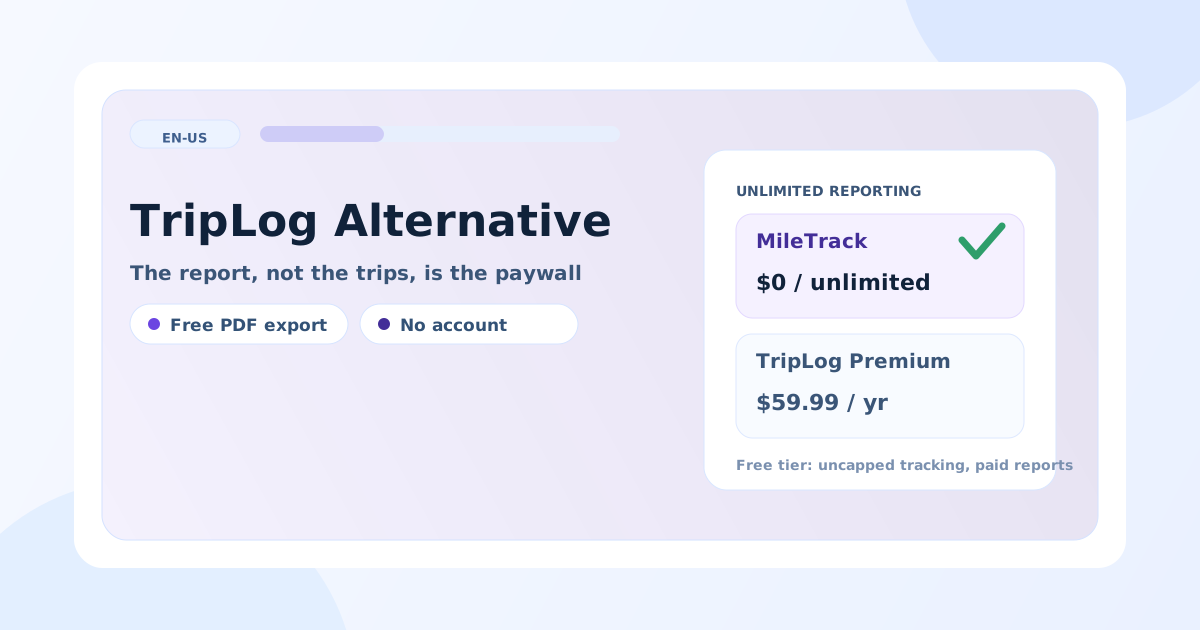
TripLog does not cap your trips. It caps the report: the free tier tracks mileage without a trip limit, and unlimited reporting plus PDF output sit on Premium at $4.99 a month billed annually — $59.99 a year (TripLog’s own pricing page, 9 November 2026). That is a better free tier than most of this market offers, and it is still a paywall between a year of recorded drives and the document you hand to an accountant.
Full disclosure before the comparison: MileTrack is our product. That is exactly why this page also states where TripLog is the better buy — and for anyone with a fleet, an accounting system to feed, or a vehicle nobody drives with their own phone, it genuinely is.
What each one costs
| MileTrack | TripLog | |
|---|---|---|
| Automatic tracking | Free, no trip cap | Free, no trip cap |
| Unlimited reporting | Free | Premium — $59.99 a year ($4.99/month billed annually) |
| Free-tier exports | PDF, CSV and XLSX | CSV and HTML; PDF on paid plans |
| Account required | No | Yes |
| Trip history | On the iPhone | TripLog’s servers, with a web dashboard |
| App Store privacy label | Data Not Linked to You: Location, Identifiers, Usage Data | Data Not Linked to You: Identifiers, Usage Data, Diagnostics |
| Accounting integrations | None — export the file and import it | QuickBooks Online, SAP Concur, ADP, Paychex, UKG, Emburse, Salesforce |
| Hardware option | None | TripLog Drive $79.99, Beacon $19.99 |
| Platform | iPhone only | iOS, Android, web |
| US App Store ratings | A handful | 4,795, averaging 4.54 |
Where TripLog is the better buy
- You feed an accounting or payroll system. TripLog publishes the widest integration list in this market. If mileage has to land in QuickBooks Online or SAP Concur without a human moving a file, that is worth $59.99 a year on its own.
- Someone else drives the vehicle. TripLog Drive and the Beacon record trips without relying on the driver’s own phone. MileTrack has no equivalent, and no plan for one.
- A team claims mileage. TripLog runs reimbursement programs, including cents-per-mile and FAVR. MileTrack is a single-driver app.
- Android, or a browser. MileTrack is iPhone-only for now.
- You want a long public track record. Nearly 4,800 US ratings against our handful is a real argument, and no amount of feature comparison answers it.
Where MileTrack is the better buy
- The report is free. PDF, CSV and XLSX with no paid tier between an uncapped year of drives and a finished mileage log.
- There is no account. No email, no password, no card. Trip history, saved places, vehicles and reports stay on the iPhone, and nothing is hosted on MileTrack servers in the current beta — the labels side by side are in the no-account comparison.
- Retention does not follow a subscription. Your log cannot lapse with a plan, because there is no plan.
- Three classifications, not two. Business, commute and private are separate, which is what makes the commute question answerable at all — see commuting vs business miles.
- 39.9 MB and no sign-up screen. Install, grant motion and location permission, drive.
Switching without losing the year
- Export from TripLog first. CSV is available on the free tier; do it before you cancel, not after.
- Keep the file with your tax records. Publication 463 cares about the fields and the timing, not which app produced them.
- Note the odometer on the day you switch, so the two logs join without a gap.
- Run both for two weeks on your real routes and compare what each captured. Detection quality is the one thing a comparison table cannot tell you.
- Check the integration you relied on. If TripLog was posting into QuickBooks, a manual import is the replacement. That is the trade.
The honest summary
TripLog is a well-built, widely integrated product with a free tier that is genuinely better than most. If you need the integrations, the hardware or the team features, pay for it. If what you need is an uncapped mileage log that exports a finished report for free and keeps your location data on your own phone, that is what MileTrack does.
MileTrack is free on the App Store — no account, no card, no paid tier. The wider five-app comparison is in the best mileage tracker app for taxes; for the MileIQ cap specifically, see the MileIQ alternative guide.
Tax note: this article is general orientation, not tax advice. Prices and labels verified 2026-11-09 — check the linked official pages before deciding.
Freshness note
Plans and prices read from TripLog's own pricing page on 2026-11-09; privacy labels and rating counts from each app's US App Store page the same day. TripLog changes plan contents periodically — check the linked page before deciding. MileTrack is our own product, which is why this comparison spells out where TripLog remains the better choice.
Official sources
Stop rebuilding your mileage log by hand
MileTrack detects your drives automatically, keeps business, commute, and private separate, and exports IRS-ready PDF, CSV, and XLSX. Free on iPhone, no account needed.
Free PDF, CSV and XLSX mileage reports with no account and no subscription.
Get MileTrack freeFAQ
Is there a free alternative to TripLog?
MileTrack tracks unlimited drives and exports PDF, CSV and XLSX free, with no account and no card. TripLog's own free tier already tracks without a trip cap, so the question is not the cap — it is the report: unlimited reporting and PDF output are on TripLog Premium at $59.99 a year.
What does TripLog Premium cost?
$4.99 a month billed annually, which is $59.99 a year, as published on TripLog's pricing page on 9 November 2026. TripLog also sells a 7-day pass for a single busy period, and hardware separately: TripLog Drive at $79.99 and the TripLog Beacon at $19.99.
What are the limits of TripLog's free plan?
Tracking is uncapped; reporting is not. The free tier exports CSV and HTML, while PDF reports, unlimited reporting, automatic expense tracking and the accounting integrations are on the paid plans. For a full tax year the question is whether the free export carries every field you need.
Does TripLog store my trips on its servers?
Yes — TripLog is an account-based service with a web dashboard, so trips sync to its servers. Its App Store privacy label is a good one, declaring identifiers, usage data and diagnostics as data not linked to your identity. MileTrack takes the other route: no account at all, and trip history that stays on the iPhone.