

Purpose, destination, date, and distance stay visible in the review flow.
US mileage tracking
Built for IRS mileage logs.
US-first by design.
Keep business, commute, and private trips separate before export, with IRS-ready language, guides, and filing context built around US recordkeeping.
IRS-ready fields Business / commute / private Free to use US-focused guides and free access
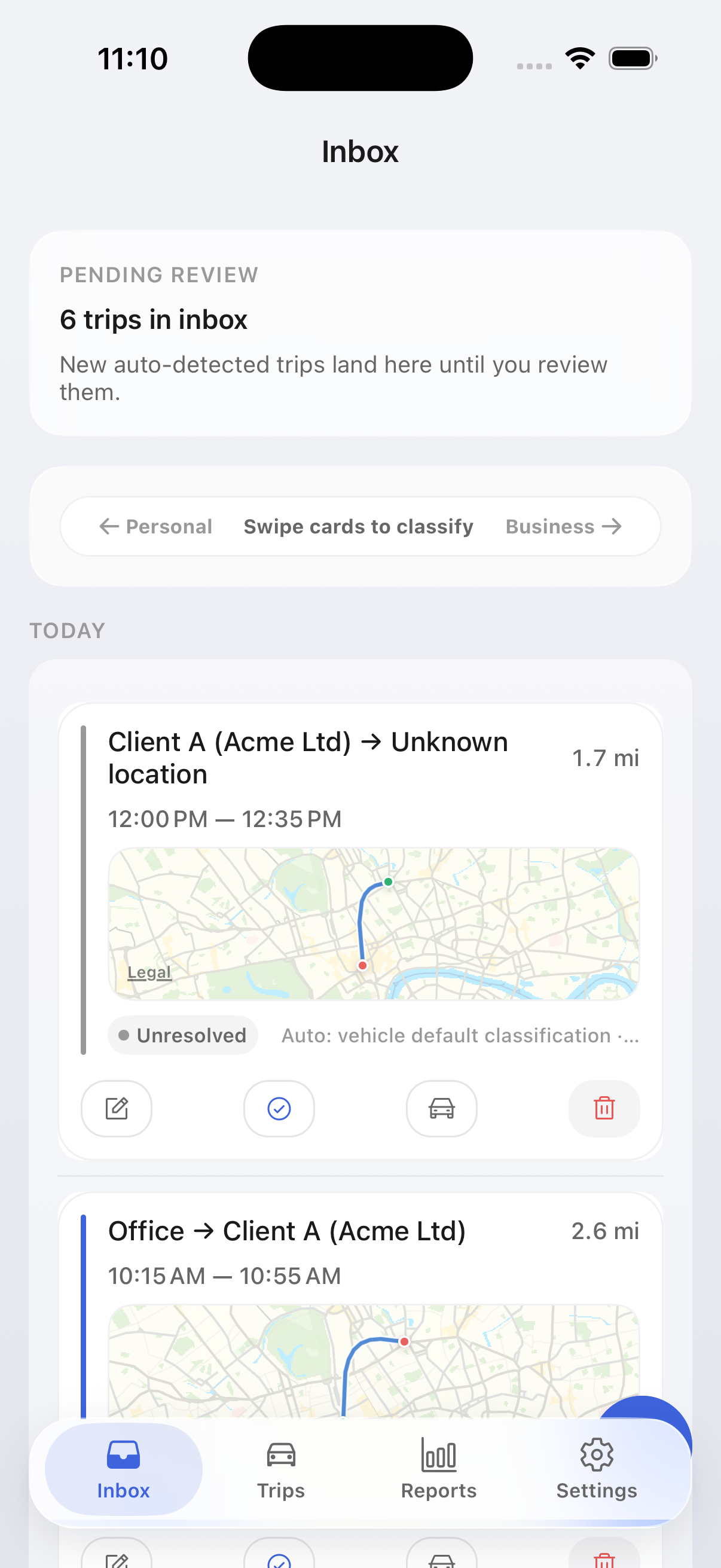
Routine commute stays distinct from deductible business travel.
Trip logs stay local by default; service processing is documented separately.
IRS-ready fields
Date, destination, distance, purpose, and vehicle context
3 trip types
Business, commute, and private before export
Free to use
No paid plan gate between trip tracking and export
On-device by default
Optional iCloud backup on iOS and documented service boundaries
Storage defaults
Trip logs and saved places stay on-device by default. Account, support, analytics, and route-matching flows are documented separately so the product copy and legal pages stay aligned.
US product page
Built around the real filing workflow
The US page focuses on Schedule C and contractor recordkeeping with plain filing language and clear evidence expectations.
Commute stays explicit
Routine commute is not buried inside personal trips, which reduces overclaim risk when you review exports for tax prep.
IRS-facing exports
Export PDFs and raw files with the fields preparers expect to see when they review Publication 463-style records.
Local-first trip storage
Trip logs stay local by default, while support, analytics, and infrastructure processing are described separately.
US workflow
From drive capture to filing support
Use the same loop every month so filing season becomes review and export, not reconstruction.
1
Capture the drive automatically
Driving starts and stops are detected in the background so missing records do not pile up.
2
Confirm deductible intent
Add or confirm purpose only where needed, while commute remains separate from business mileage.
3
Archive the month
Export a filing-friendly PDF plus raw files so you can keep your own year-end archive.
User Feedback
What early users care about
"Finally something that keeps commute separate without me having to swipe every trip manually."
Early tester Freelance consultant, US"The export actually had the fields my accountant was asking for. No reformatting needed."
Beta user Self-employed contractor, UK"I tried three other apps before this. The difference is that classification just works from day one."
Early tester Sales rep, GermanyUS workflow
A clean path from tracking to filing
The US page keeps the product story simple: capture drives automatically, review what matters, and keep US guidance close by.
Built for real tax prep
The copy stays focused on the records self-employed drivers and contractors actually need to keep.
Guides stay close to the product
You can jump from the product page into US-specific guides without losing the filing context.
Trust copy stays precise
On-device defaults and service-side processing are described in the same way across site and legal pages.
FAQ
Common questions
How are trips classified?
MileTrack keeps business, commute, and private as separate trip types. Suggestions are based on saved places, repeated routes, your review history, and explicit overrides.
Are the reports accepted by the IRS / HMRC / local tax workflows?
Exports include the core fields tax workflows require: date, origin, destination, distance, purpose, vehicle context, and the country profile active at export time.
Where is my data stored?
Trip logs and saved places stay on-device by default. Account data, support requests, crash diagnostics, optional analytics, and route-matching services use infrastructure that is documented on the Security page and in the Privacy Policy.
Does it back up anywhere?
On iOS, optional iCloud backup is available when you enable it. Exports or third-party connections send data only when you explicitly start that action.
What about battery impact?
Drive detection is designed for low battery impact by using motion signals before heavier location work. Battery behavior still depends on your phone, permissions, and vendor settings, so we recommend validating it over a normal week.
How do I get access right now?
MileTrack is currently free to use. If you need access on a specific platform, contact us and we will point you to the current rollout path.
Get started
Start tracking with the US flow
Get free access now, then use the US guide library whenever you need filing-specific help.